
Free formats8 min read
Blood report format
Free lab report formats in Word and PDF. Add your lab's name and your own normal ranges.

Six free lab report formats
- Word and PDF files for each format
- Add your lab's name and logo in Word
- The normal range is left blank for your lab's own
Free · no sign-up
MediKloud is pathology lab software for labs in India, including the lab in a diagnostic centre. It prints each report on your letterhead, and can list any result outside the normal range at the top.
The parts
Pathology report format: what every report has
In a pathology lab or diagnostic centre, every report has the same top and bottom. Only the results part changes from test to test.
| Part | What goes in it |
|---|---|
| Top | Your lab's name, logo, address and phone number. Add your lab's registration number, if it has one. |
| Patient and sample | The patient's name, age, sex and patient ID. Referred by: the doctor who sent the patient. The sample type, such as EDTA blood or serum. When the sample was collected and received, and when the report was made. |
| Results | Each test with its result, unit and normal range, and the method where it matters. Mark a result above the range with H or High, and one below it with L or Low. |
| Bottom | Notes on the results, if any, and "End of report". Signatures of the technician and the pathologist, with the pathologist's name, degree and registration number. The page number, such as "Page 1 of 2". |
The normal range column is blank on purpose. Normal ranges depend on your lab's method and reagents, and on the patient's age and sex. Fill in the ranges your pathologist has checked for your lab.
Numbers and ranges
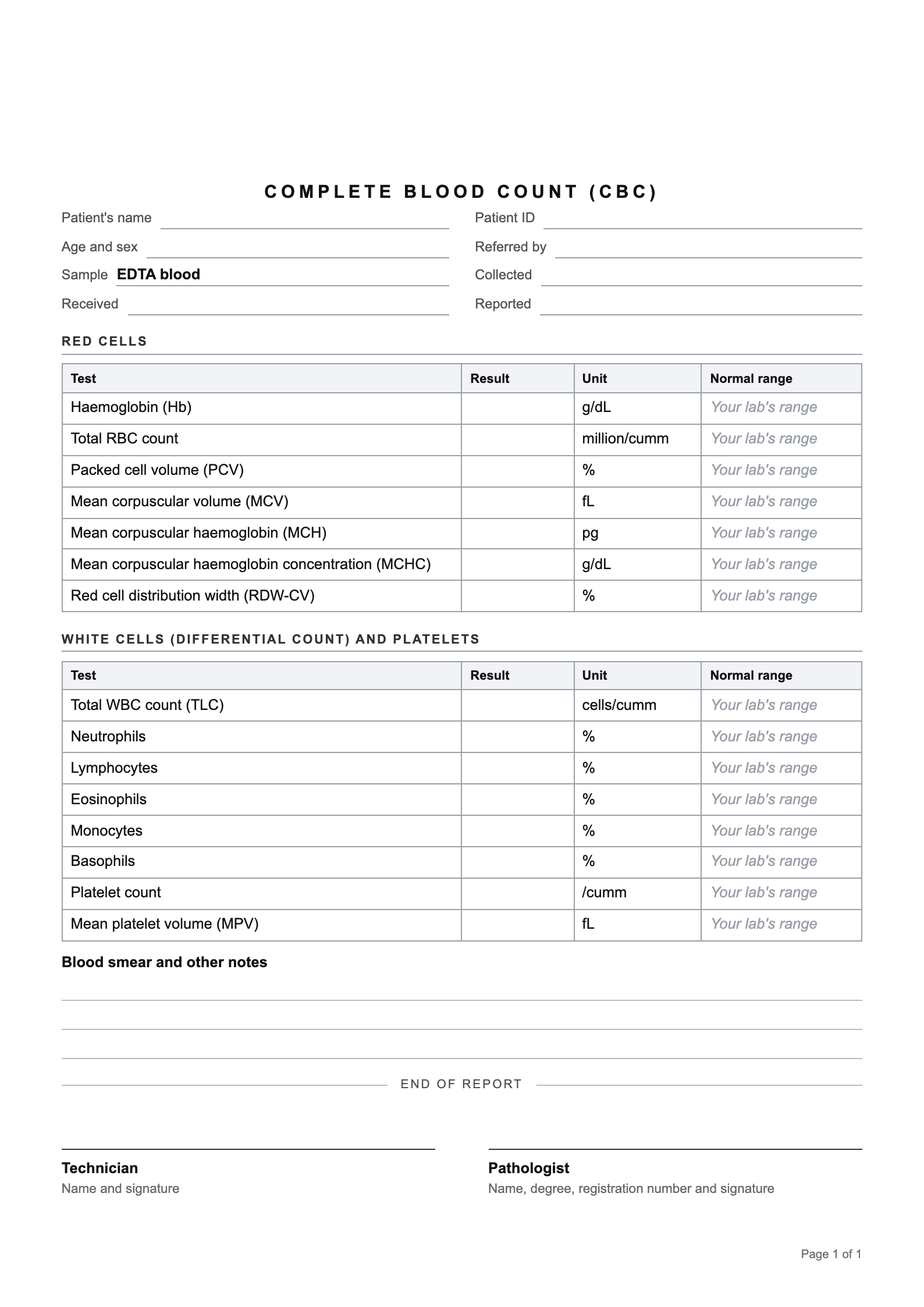
Complete blood count (CBC) report format
These rows go in the results part. Fill in the normal ranges your pathologist has checked for your lab. Sample: EDTA blood, in the purple-cap tube.
Red cells
| Test | Result | Unit | Normal range |
|---|---|---|---|
| Haemoglobin (Hb) | g/dL | Your lab's range | |
| Total RBC count | million/cumm | Your lab's range | |
| Packed cell volume (PCV) | % | Your lab's range | |
| Mean corpuscular volume (MCV) | fL | Your lab's range | |
| Mean corpuscular haemoglobin (MCH) | pg | Your lab's range | |
| Mean corpuscular haemoglobin concentration (MCHC) | g/dL | Your lab's range | |
| Red cell distribution width (RDW-CV) | % | Your lab's range |
White cells (differential count) and platelets
| Test | Result | Unit | Normal range |
|---|---|---|---|
| Total WBC count (TLC) | cells/cumm | Your lab's range | |
| Neutrophils | % | Your lab's range | |
| Lymphocytes | % | Your lab's range | |
| Eosinophils | % | Your lab's range | |
| Monocytes | % | Your lab's range | |
| Basophils | % | Your lab's range | |
| Platelet count | /cumm | Your lab's range | |
| Mean platelet volume (MPV) | fL | Your lab's range |
- A CBC with ESR is often called a haemogram. Add an ESR row if you report it.
- If your lab reports absolute counts, add a row for each, such as the absolute eosinophil count
- Leave space under the table for the pathologist's notes on the blood smear
When MediKloud prints a CBC, it can list a low haemoglobin in a box at the top, so the doctor sees it first. The result is marked Low, and a bar under each result shows where it falls in the range. Your lab sets each range once, for each age group and sex, and MediKloud prints the right one for each patient.
Result in words
Blood group test report format
The result is written in words, so there is no normal range. Sample: EDTA blood.
| Test | Result |
|---|---|
| ABO group | A, B, AB or O |
| Rh (D) type | Positive or Negative |
- Print the full result in words too, such as "B Positive"
- Name the method under the result, such as slide or tube agglutination
- If your lab also does reverse grouping with the patient's serum, add a row for it
MediKloud prints the result in words, with the method under it. People often need to show a blood group report, for a job or for school, so MediKloud prints a QR code on each report. Anyone can scan the QR on the report to see it, from your lab's own records.
Seconds and a ratio
PT INR test report format
PT is printed in seconds, next to a control time. The INR (international normalised ratio) is worked out from them. Sample: citrate blood, in the blue-cap tube, filled up to the line.
| Test | Result | Unit | Normal range |
|---|---|---|---|
| Prothrombin time (PT), patient | seconds | Your lab's range | |
| PT, control | seconds | ||
| ISI (international sensitivity index) of the reagent | |||
| INR | Your lab's range |
- To work out the INR, divide the patient's PT by the mean normal PT. Then raise the answer to the power of the ISI. Many labs print the mean normal PT as the control.
- The ISI is printed on the reagent pack. Check it each time you start a new pack.
MediKloud comes with a ready PT INR test. Your lab can add rows to it, such as the control time and the ISI, and add or change rows in any ready test, so your reports keep the rows you print today.
One number
CRP test report format
C-reactive protein (CRP) is reported as one number, in mg/L. Sample: serum.
| Test | Result | Unit | Normal range |
|---|---|---|---|
| C-reactive protein (CRP) | mg/L | Your lab's range |
- Name the method under the result, such as turbidimetry or a latex slide test
- For a latex slide test, print Positive or Negative and the cut-off given on the kit
- High-sensitivity CRP (hs-CRP) is a different test with its own range. Report it on its own.
- For sugar, liver, kidney or lipid tests, start from this format. Change the test name and sample, and add one row for each result, with its unit and your lab's range.
MediKloud prints on plain paper with your lab's letterhead at the top, or leaves the top blank on pre-printed letterhead. Your lab picks a plain black-and-white style or one in its own colours, and sets the font, the margins and up to two signatures. Each change shows on screen before you print.
Minutes and seconds
BT CT test report format
Bleeding time (BT) and clotting time (CT) are done on the patient at the lab. Normal ranges change with the method, so always name it.
| Test | Result | Unit | Method | Normal range |
|---|---|---|---|---|
| Bleeding time (BT) | minutes and seconds | Duke or Ivy | Your lab's range | |
| Clotting time (CT) | minutes and seconds | Capillary tube, or Lee and White | Your lab's range |
MediKloud's ready list of tests does not include BT CT. Your lab adds it as its own test, with your method and range. It then prints on your letterhead with your other tests.
Written in parts
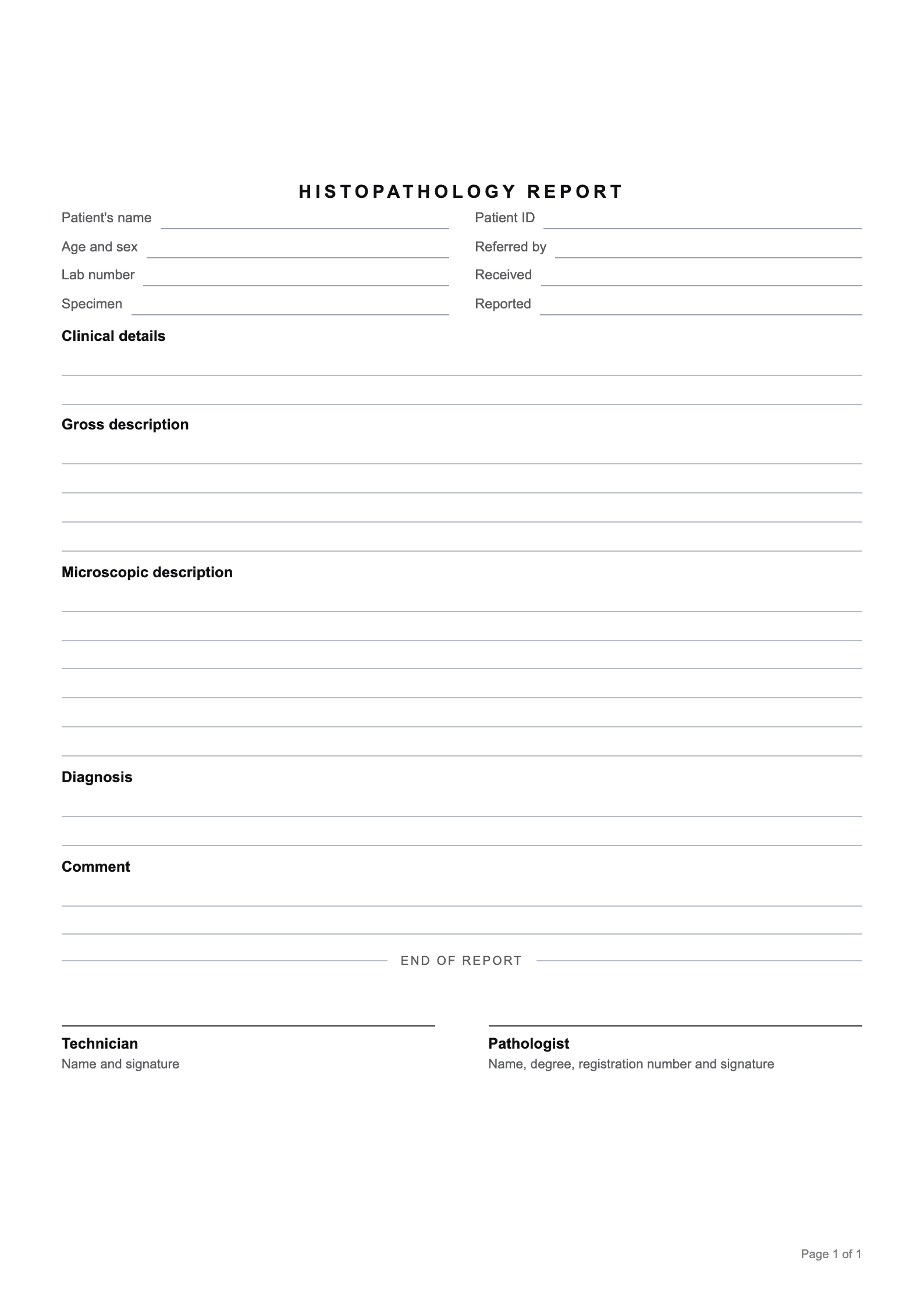
Histopathology report format (biopsy report)
The top and bottom are the same as a blood report. In the middle, the pathologist writes each part in words.
| Part | What to write |
|---|---|
| 1Lab number | the biopsy number, with the dates the specimen was received and reported |
| 2Specimen | what was sent, and from which part of the body |
| 3Clinical details | what the doctor who sent it has written |
| 4Gross description | what the specimen looks like to the eye, its size, weight and colour, and how many pieces were taken for slides |
| 5Microscopic description | what the pathologist sees under the microscope |
| 6Diagnosis | the pathologist's conclusion, in a few words. Some labs call it the impression |
| 7Comment | anything more the doctor should know, if needed |
Questions about blood report formats
- What should a blood test report contain?
A blood test report starts with the lab's name and address, and the patient's name, age, sex and ID. It names the referring doctor, the sample type, and when the sample was collected and reported. Then come the tests, each with its result, unit and normal range, and the method where it matters. It ends with the pathologist's name, registration number and signature.
- How should a lab report format change for different tests?
Keep the same top and bottom on every report, and change only the results part. A CBC or a CRP needs numbers, units and normal ranges. A blood group is written in words. BT CT needs the method, and a biopsy report is written in parts.
- How do I add normal ranges and units to the format?
Write the ranges your pathologist has checked for your lab's method and reagents. Where a range differs by age or sex, print the one for that patient. Use the units your lab reports in, and keep them the same on every report. Have your pathologist check the whole format before you use it.
- Can I download these formats in Word, PDF or Excel?
Each format is in Word, to add your lab's details, and as a PDF, to print and fill in by hand. There is no Excel file, but you can copy the Word table into Excel.
- How do I put my lab's letterhead on the Word format?
Open the Word file. At the top, type over "Your lab's name, address and phone" and add your logo. If you print on pre-printed letterhead, delete those words but keep the empty space, so your letterhead has room.
- How do I make a lab report PDF?
In Word, choose File, then Save As, and pick PDF. Send patients the PDF, not the Word file. A PDF looks the same on every phone and is harder to change.
- Which pathology lab report software prints on my own letterhead?
MediKloud is one. It prints on your pre-printed letterhead, or on plain paper with your letterhead at the top. Our team sets up your report layout with you. In any company's demo, ask to see one of your own tests printed on your paper.